함께 일하기 위해 만들어졌다
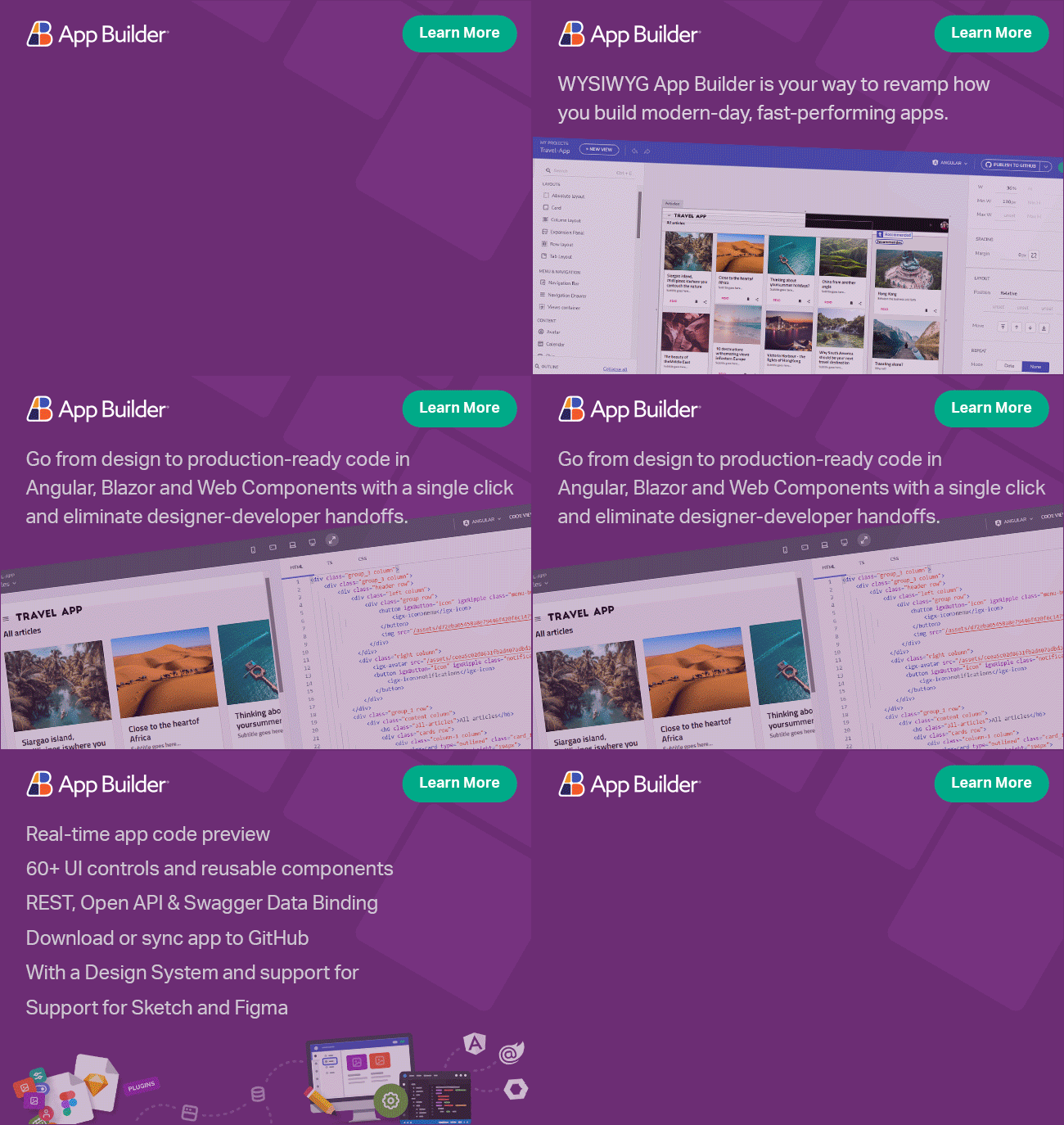
App Builder 시각적 드래그 앤 드롭 편집기로 65+개의 맞춤형 Ignite UI 구성 요소를 완벽하게 제공하는 도구 상자를 제공하여 다음 웹 앱을 가장 빠르게 만드는 방법입니다. 당신이 만드는 모든 것은 현대 웹 프레임워크용 생산 준비가 가능한 코드를 생성하여, 품질을 희생하지 않으면서 완전한 소유권과 더 빠르게 혁신할 자유를 제공합니다.
데모 예약하기 App Builder 시도
왜 Ignite UI 사용자들이 App Builder로 업그레이드하는지
이미 Ignite UI 컴포넌트를 사용하고 계시니, App Builder 으로의 전환이 자연스럽게 진행되어, 코드를 처음부터 처음부터 시작하지 않고도 완성된 앱을 더 빠르고 직관적으로 만들 수 있습니다. 설계와 개발을 단일 작업 환경에서 정렬하여 팀이 협업할 수 있게 하여 전체 디자인투코드 워크플로우의 간극을 메우는 것입니다.
엔터프라이즈급 UI를 가진 AI 생성 앱
-
AI를 사용해 자연어로부터 다중 페이지 구조, 뷰포트, 내비게이션, 테마 등 전체 앱을 생성할 수 있습니다.
-
대시보드, 랜딩 페이지, 제품 목록, 전자상거래 등 완전한 화면이나 로그인/등록 화면을 구축하세요.
-
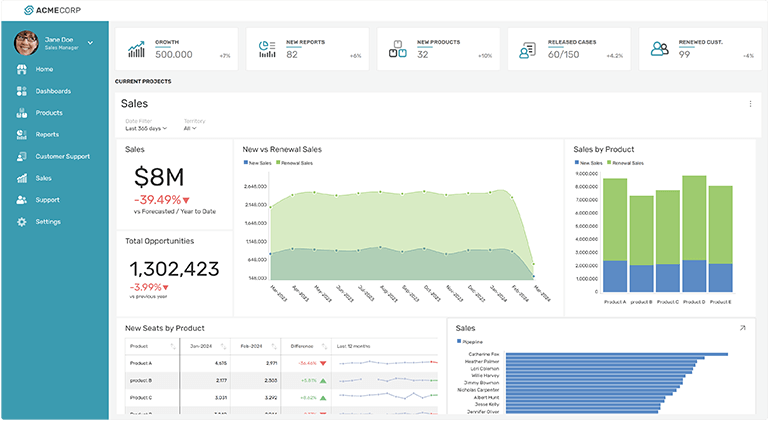
여러분이 만드는 모든 것은 Ignite UI의 고성능 그리드, 차트 등으로 구동되어, 일관되고 고품질의 UI를 보장합니다.

픽셀 단위까지 완벽하고 깨끗하며 사용 가능한 코드 출력
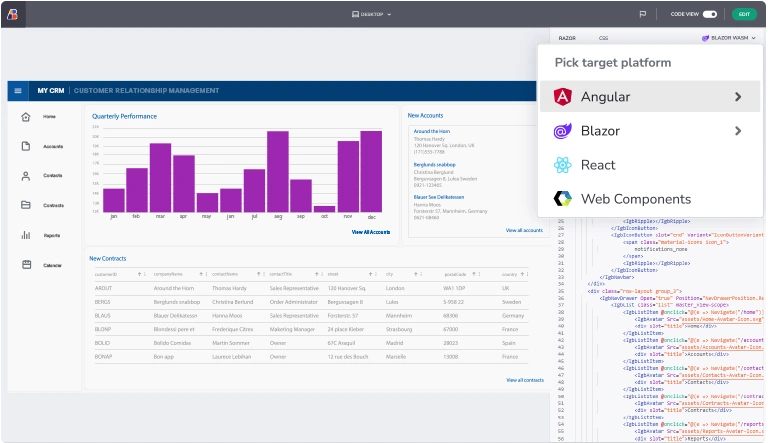
시각적 앱 편집기로 디자인하거나 구축한 모든 것은 Angular, React, Web Components, Blazor 등 인기 있는 웹 프레임워크에서 프로덕션 코드로 생성할 수 있습니다.
소스 코드에 대한 소유권을 가지므로 장기적인 유지보수 가능성, 확장성, 독립성을 보장합니다. 당신의 앱은 진정으로 소유하고, 확장하며, 진화할 수 있습니다.
새로운 운전
수익
스트림
-
비용이 많이 드는 지연 또는 성능 문제를 방지하고 개발 주기를 가속화하여 시장 점유율을 확보하고 고객의 관심을 유지하며 수익 기회를 활용할 수 있습니다.
-
시장 진출 비용을 절감하고, 일상적이고 반복적인 작업을 제거하고, 혁신과 고객 확장에 예산을 재할당하십시오.
-
독점적인 기능이 없어 팀이 제한이나 플랫폼 제약 없이 혁신, 사용자 지정 및 확장할 수 있습니다.
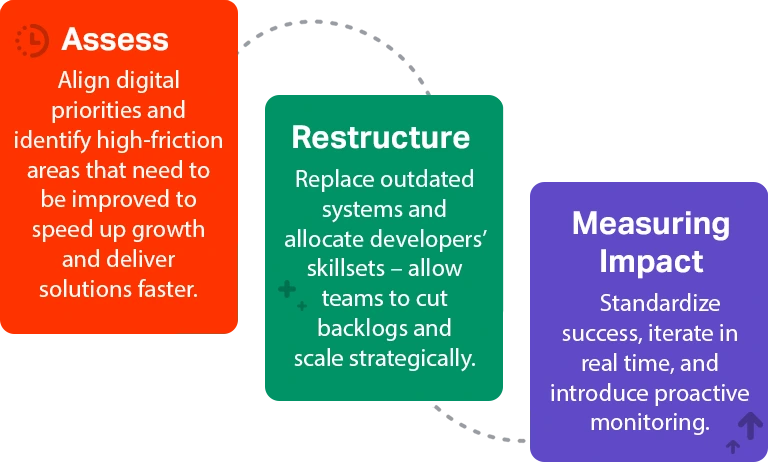
디지털 트랜스포메이션을 위한 3단계 접근 방식
앱 개발을 향상시키세요
Ignite UI는 기능이 풍부한 엔터프라이즈 컨트롤을 제공하지만, 전체 앱을 만드는 데는 여전히 수동 레이아웃, 배선, 코드 반복, 디자인 작업이 필요합니다. App Builder를 사용하면 개선되고 간소화된 사이클을 위해 빠진 앱 개발 계층을 추가합니다.


벤더 락인 없음
자동화 및 분위기 설계
그리고 핸드오프도 없습니다
다음 세대를 만드는 속도를 가속화하세요
엔터프라이즈 애플리케이션
Creating intuitive applications should be an exciting process of discovery, not an exercise in anxiety. In the past, we watched many of you creatively and cautiously use the ‘Duplicate App’ or ‘Copy to Workspace’ features just to create a manual backup before a major design overhaul. While we always admire our community’s ingenuity, we knew there had to be a better, native way.
Whether you are heavily customizing a complex dashboard, experimenting with new UX layouts, or leveraging AI to auto-generate UI components, you need the freedom to iterate rapidly without the fear of breaking your app.
Today, we are thrilled to introduce a robust Versioning Mechanism to App Builder.
This new feature provides a persistent safety net across your entire workspace, allowing you to capture, browse, and safely restore previous states of your app without data loss.
Before diving into these new functionalities, if this is your first time learning about App Builder, let me quickly share why you should consider it a key tool in the application development process for your organization:
- A visual app builder – the unified platform for C-level executives, enterprise architects, dev team leaders, designers, developers, and stakeholders.
- Cloud-based WYSIWYG drag & drop tool that helps companies design and build complete business apps 80% faster than ever.
- A low-code tool generates production-ready code for Angular, React, Web Components, and Blazor, and converts Figma designs to code.
Why Versioning Matters in a WYSIWYG World
While our session-scoped Undo/Redo is perfect for quick typo fixes, Version History provides a permanent, cross-session timeline of your app’s evolution. As low-code development and AI-assisted design accelerate how quickly you can build, having a structural “save point” is critical.
The new versioning system empowers you to:
- Design with Confidence: Save named checkpoints before testing a risky design overhaul.
- Recover Instantly: Roll back unintended changes instantly, whether made by you or a collaborator.
- Track Your Evolution: View a clear timeline of your application’s lifecycle.
Key Capabilities at a Glance
Our state versioning system efficiently captures your entire App Builder model—including app structure, views, data sources, and your chosen theme—using a lightweight Diff/Delta strategy.
1. Manual Checkpoints for Intentional Saves
Preparing for a major structural change? You can now manually save your app’s state.
- Simply open the app/view context menu and select Save Version.
- Add a custom label (e.g., “Pre-AI UI Generation” or “Stable Dashboard v1”) to easily identify it later.
2. Automatic Snapshots for Peace of Mind
To ensure you never lose your current state when reverting to an older design, App Builder automatically creates a snapshot immediately before you execute a Restore action.
3. Visual Version Browsing
Managing your history is highly visual and intuitive. By clicking Show Version History from the new application name dropdown, a side panel reveals a complete timeline of your work.
- Filter and Group: Quickly find what you need by filtering for My Versions, Named Versions, or grouping by time (e.g., Earlier This Week).
- Take Action: With a single click, you can restore, rename, duplicate, or delete any saved version.
A Smoother Workspace Experience
Alongside Version History, we’ve polished the top-level application menu. You will notice a new, streamlined dropdown menu by clicking your app’s name. From here, you can seamlessly Rename, Duplicate, Copy to Workspace, or access your Version History—all confirmed by clear success toasts without navigating away from your canvas.
Data Retention Under the Hood: To keep your workspace clean, auto-saved versions are retained for 90 days before automatic cleanup. Manually named versions, however, are yours to keep forever and will only be removed if you choose to delete them.
Start Iterating Today
The new Versioning mechanism is live in your App Builder workspace. Jump in, save a checkpoint, and start experimenting with your UI faster and safer than ever before.
For a full breakdown of prerequisites and technical limitations, check out our Official Documentation Link.
Wrapping up
Try the new features today at my.appbuilder.dev
App Builder is a game-changer in the app development process. With its cloud-based visual builder, low-code capabilities, and new features, it’s a must-have tool for any organization. Try it out today! If you need more details, we encourage you to check out our:
To experience everything in the latest App Builder updates, visit your customer portal and get the latest version. As usual, we are always excited to get your feedback and hear what you want to add or recommend. So please email me at zkolev@appbuilder.dev and let me know how we can help you continue delivering value to your customers with Infragistics.