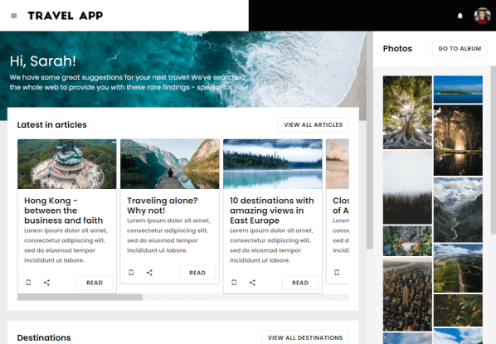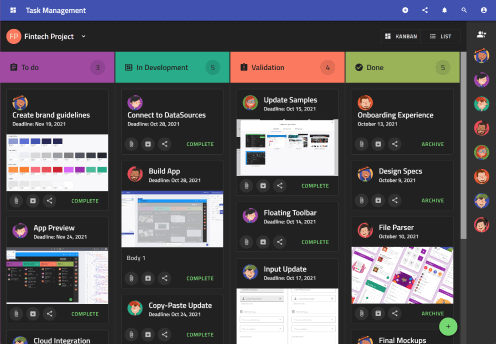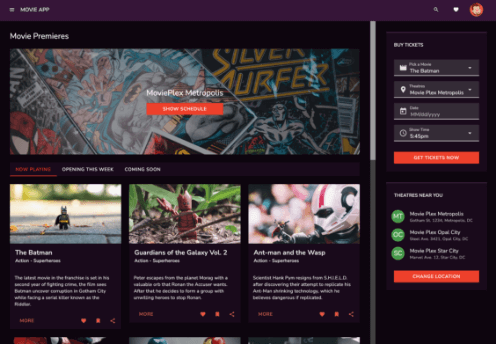
The Team Collaboration app showcases two main modules – a layout with tasks and a collection of dashboards. Both use a combination of lists, tables and cards displaying the different types of items. The main navigation is realized via a header from where you can select projects and create tasks among others, combined with a mini navigation drawer containing icons to switch between the modes described above. The Team Collaboration app comes in a dark mode by default, which is one of the big advantages that come with App Builder.
Get Inspired Today
When you open this sample, you can geenrate & download Angular, Blazor or Web Components source code of the complete application.
Array ( [type] => LeadTracker [product_code] => B7 [event_type] => contact sales [event_detail] => form submitted [ga_event_type] => Form Submit [ga_event_label] => App Builder - Contact Sales Pricing Top [data_form_theme] => modal-layout [submit_button_text] => Submit [optional_inputs] => name, company, department(label=(Department)), jobtitle(label=(Role)) [optional_inputs_required] => [single_col_layout] => true [show_request_demo] => false [prohibit_freemail] => true [prepopulate_department_role] => true [thank_you_message] => [form_container_id] => modal-contact-sales-pricing-top [redirect_url] => [drift_campaign_id] => )
Array ( [type] => LeadTracker [product_code] => B7 [event_type] => contact sales [event_detail] => form submitted [ga_event_type] => Form Submit [ga_event_label] => App Builder - Contact Sales Pricing Bottom [data_form_theme] => modal-layout [submit_button_text] => Submit [optional_inputs] => name, company, department(label=(Department)), jobtitle(label=(Role)) [optional_inputs_required] => [single_col_layout] => true [show_request_demo] => false [prohibit_freemail] => true [prepopulate_department_role] => true [thank_you_message] => [form_container_id] => modal-contact-sales-pricing-bottom [redirect_url] => [drift_campaign_id] => )